Is the system not printing photos, or are you having other problems? See here for the solution.
-> Before we begin, always follow these golden rules <-
The system may be cold after delivery by AZ BBQ. Let the photobooth acclimatise at room temperature for at least half a day before using it.
Always use the photobooth in a room at normal room temperature. Do not leave it in a cold or hot room or car for a long time.
Has the system been in a cold or hot environment just before use? Let it acclimatise to the temperature and humidity for at least one hour before switching it on.
Do not test the photobooth unnecessarily beforehand. Ideally, switch it on 1 to 2 hours before the party starts.
Never unplug the system while the printer is printing. This can cause jams.
Keep the photobooth out of direct sunlight to avoid overheating and overexposure. Do not place it in complete darkness either; some ambient light is preferable.
Is the system not working properly? Unplug it, wait 2 minutes and reconnect it. Still having trouble? Call or message us immediately. You can find the phone number at www.photobooth-in-nederland.nl.
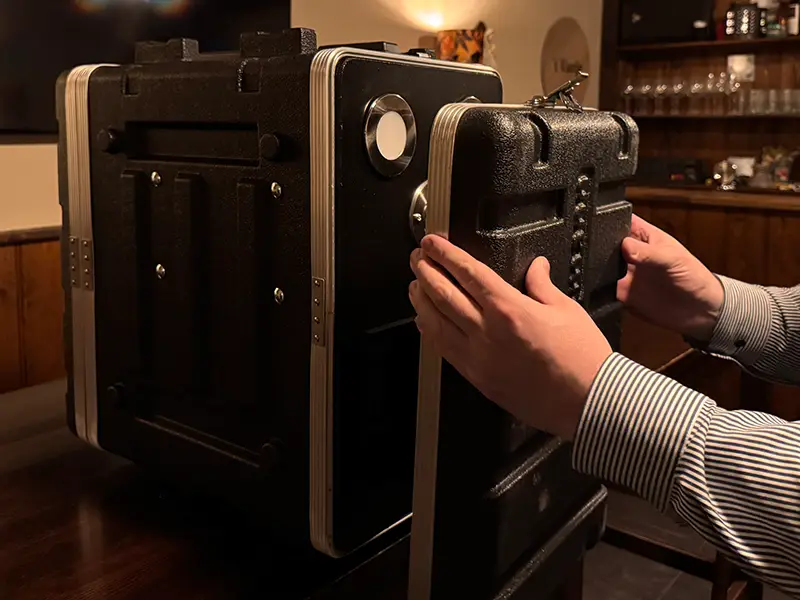
After use, carefully replace the photobooth covers. Secure the clips at the top and bottom, and return the system to the supplied container or box where applicable.
You receive the collection time in advance by email and text message. Make sure someone is there to hand the photobooth to the driver. Our delivery partner AZ BBQ collects the system.
Step-by-step guide to using the Photobooth
Delivery / Collection
Depending on your choice:
Home delivery + collection: AZ BBQ delivers the Photobooth throughout the Netherlands. Your delivery day was provided when booking; see your order confirmation. We email and text the exact delivery time one day beforehand. The same applies to collection.
Self-collection / return: You chose a collection and return date and time when booking the system. These appear in your order confirmation email.
Step 1
Remove the photobooth cover(s) and place the system on a sturdy standing table or stable surface.
Keep the photobooth out of walkways and avoid direct sunlight, bright lamps and complete darkness. Ambient light affects the exposure and quality of the photos.
Avoid damp spaces and move the photobooth carefully to prevent damage.
Step 2
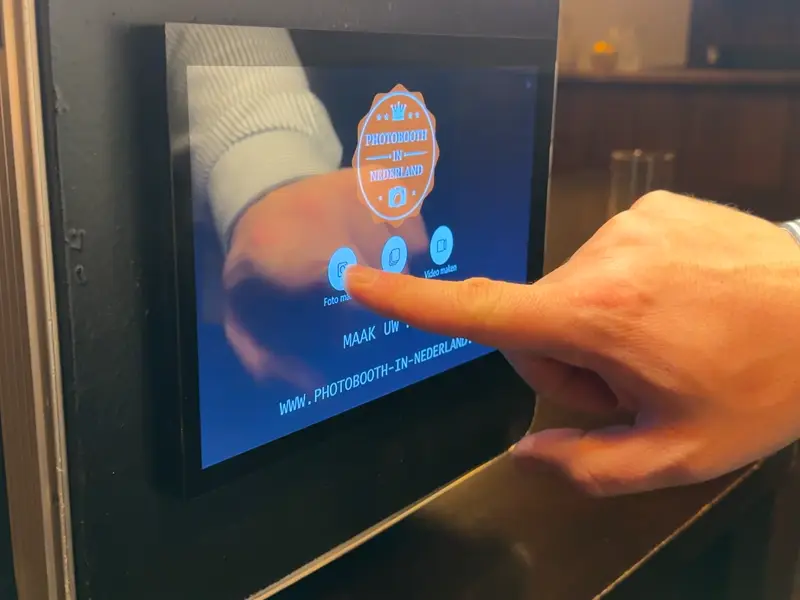
Plug the system in. It starts automatically and needs around 6 minutes to warm up. Once it has started, tap the touchscreen to take a photo or video. Photos print immediately and come out at the back onto the table. Keep objects, power cables and hands away from the printer outlet to avoid jams.
USB drive
* optional
Ordered the special USB drive? It is in the box.
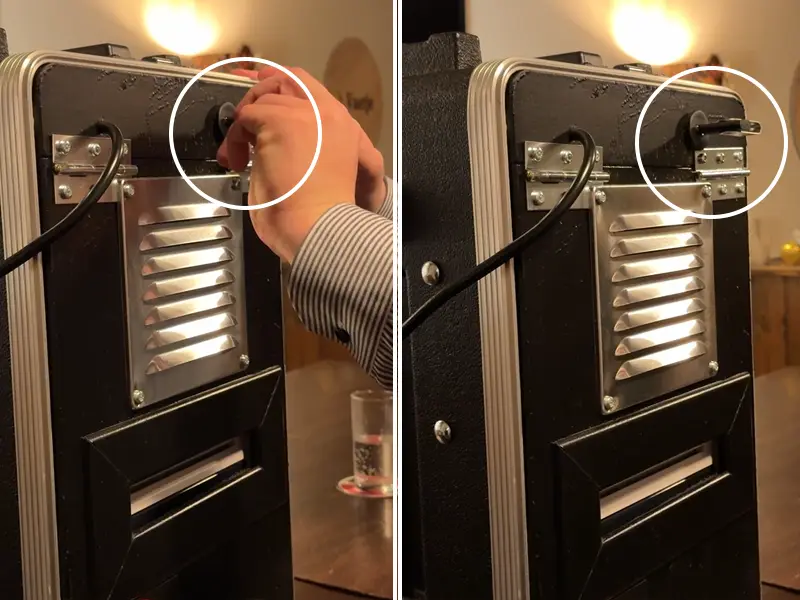
Insert the supplied drive into the back of the device before the party.
Do not use other USB drives — this can block the system.
Leave the drive in throughout the party and remove it only afterwards.
All photos and videos are on this drive — it is yours to keep.
Collection process
Important:
After use, AZ BBQ collects the Photobooth from the delivery address. The date was provided when booking; the time slot is sent by email and text message. Make sure someone is there to hand the system to the AZ BBQ driver.
As the hirer, you are responsible for the Photobooth throughout the hire period. We carefully check each system for damage and proper operation before dispatch, so you can be confident everything is in order on receipt.
You are responsible if the system is damaged during hire or cannot be collected on the agreed day. We will inform you and, depending on the situation, additional charges may apply.
Step 1
Clean the photobooth with a soft cloth, leaving no grease or fingerprints on the screen or housing.
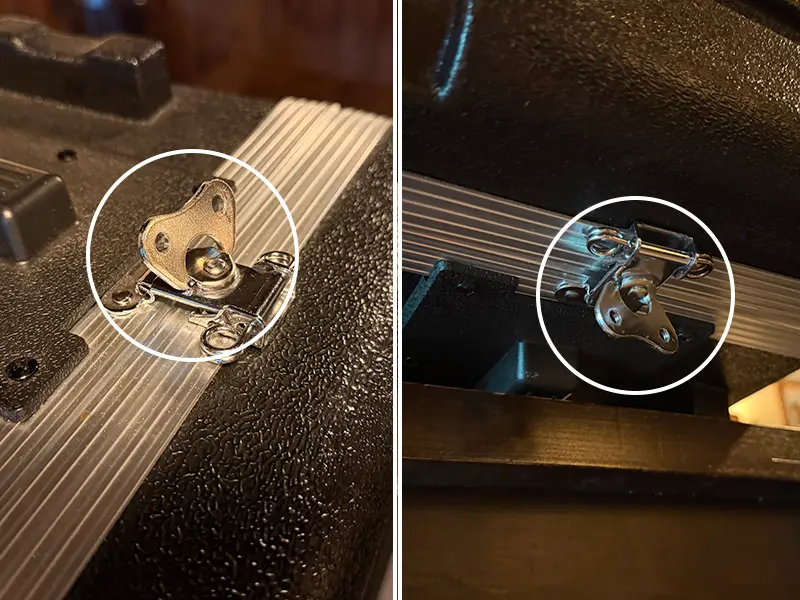
Fit the front cover to protect the screen during transport. Secure it firmly with the clips at the top and bottom.
Neatly coil the cable at the back.
Then fit the rear cover and secure it firmly with the clips at the top and bottom too.
Before moving the system, check that both covers are secure.
Step 3
Ordered props and/or a USB drive do not need to be returned. They are yours to keep.
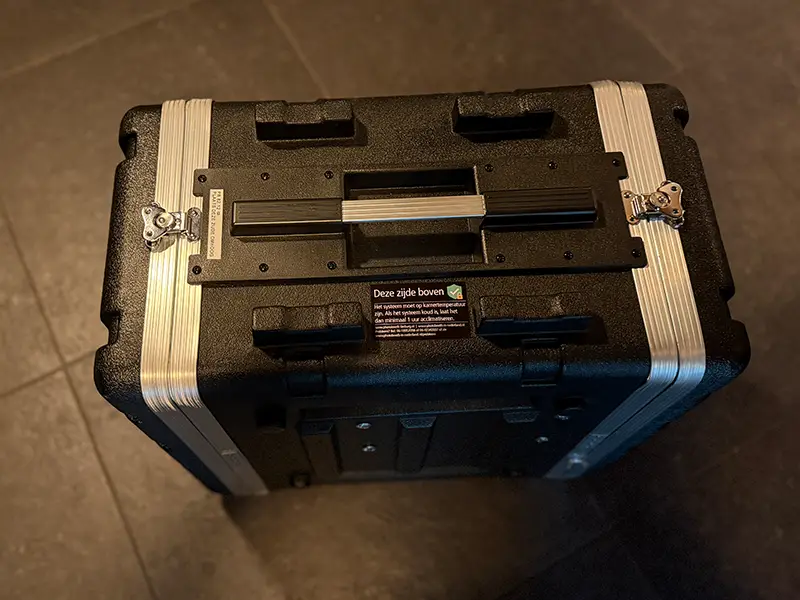
Have the photobooth ready upright, with the stickers at the top, so the AZ BBQ driver can collect it easily.
Your scheduled collection date appears in the order confirmation email. • Before collection, you receive the exact time and time range by email and text message.